GoDaddy Conversationsメッセージに返信する
When customers send you a message through any of the communication channels linked to GoDaddy Conversations, you can respond from the web app .
Note: The GoDaddy mobile app is not available with free Conversations plans.
- Webブラウザで、GoDaddyの商品ページのに移動します。
スタンドアロンバージョンのConversationsを使用している場合は、 [Conversations統合受信トレイ]を展開します。 Conversationsプランの右側にあるWeb受信箱を選択してください。
または
Websites + Marketingプランをご利用の場合は、 Websites + Marketingまでスクロールして、サイトの横にある「管理」を選択します。左側のメニューで[Conversations]を展開します。
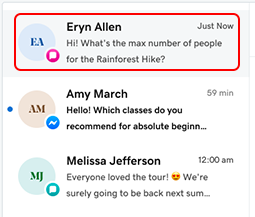
- [受信トレイ]を選択します。アーカイブされていないすべての会話のリストが表示されます。
- リストから会話を選択します。
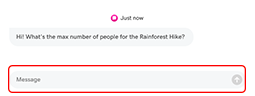
- 「メッセージ」フィールドに応答を入力し、次を選択します。
 「送信」をクリックしてメッセージを送信します。