GoDaddy ConversationsからFacebookビジネスページを切断する
FacebookビジネスページとGoDaddy会話の接続を解除すると、Facebookメッセンジャーのメッセージとコメントの受信が停止します。 Facebookメッセージとコメントはすべて会話の受信箱とアーカイブから削除され、スター付きのFacebookメッセージとコメントも削除されます。
You can reconnect Facebook any time. If you do, all your messages and comments will appear in your Conversations inbox again.
- GoDaddyモバイルアプリにサインインします。
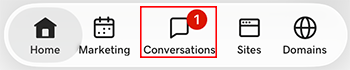
- At the bottom of the screen, tap Conversations to see a list of all your unarchived conversations.
- In the top-right corner, tap
 more, and then tap Settings.
- Tap Facebook. You may be asked to sign in to your GoDaddy account.
- Expand Facebook, and then tap your Facebook account.
- At the bottom of the page, select Disconnect Channel.
- Facebookとの接続を解除することを確認するには、 [はい、接続を解除します]を選択します。
- GoDaddyモバイルアプリにサインインします。
- At the bottom of the screen, tap Conversations to see a list of all your unarchived conversations.
- In the top-right corner, tap
 settings.
- Tap Facebook. You may be asked to sign in to your GoDaddy account.
- Expand Facebook, and then tap your Facebook account.
- At the bottom of the page, select Disconnect Channel.
- Facebookとの接続を解除することを確認するには、 [はい、接続を解除します]を選択します。
- Webブラウザで、GoDaddyの商品ページのに移動します。
スタンドアロンバージョンのConversationsを使用している場合は、 [Conversations統合受信トレイ]を展開します。 Conversationsプランの右側にあるWeb受信箱を選択してください。
または
Websites + Marketingプランをご利用の場合は、 Websites + Marketingまでスクロールして、サイトの横にある「管理」を選択します。左側のメニューで[Conversations]を展開します。
- 「設定」を選択してください。
- Select Channels
- Expand Facebook, and then select your Facebook account.
- At the bottom of the page, select Disconnect Channel.
- Facebookとの接続を解除することを確認するには、 [はい、接続を解除します]を選択します。