メールのリンクと添付ファイルを追跡する
Professional Email powered by Titanの高度な追跡(リンクとファイル追跡)を使用して、受信者がメールとやり取りする方法を追跡します。誰かがリンクをクリックするか、添付ファイルをダウンロードすると、通知が届きます。
注意:アドバンストトラッキングはウルトラプランでのみご利用いただけます。メールプランをアップグレード
追跡するリンクまたはファイルを添付する
リンク追跡または添付ファイル追跡を有効にするかどうかに基づいて、タブを選択します。
リンクトラッキングを使用して、受信者がメールのリンクをクリックしたときに通知を受けるようにします。
- webmail にサインインします。 Professional Email powered by Titanアドレスとパスワードを使用してください(GoDaddyのユーザー名とパスワードはここでは使用できません)。
- 左上の[新しいメール]を選択します。
- 受信者と件名を入力します。
- メールの下部にある書式設定ツールバーで、
 リンクを挿入。
 - ポップアップで、URLと表示テキストを入力します。
- 「このリンクを追跡」トグルをオンにします。
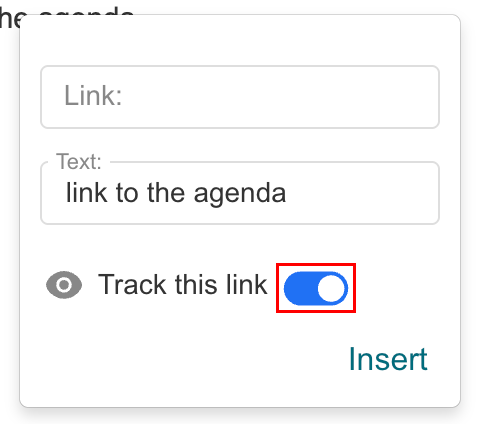
- [挿入]を選択します。
送信されると、受信者が追跡されているリンクをクリックすると、タイムスタンプとともに通知されます。
ファイル追跡を使用して、受信者が添付ファイルをダウンロードするタイミングを確認します。
- webmail にサインインします。 Professional Email powered by Titanアドレスとパスワードを使用してください(GoDaddyのユーザー名とパスワードはここでは使用できません)。
- 左上の[新しいメール]を選択します。
- 受信者と件名を入力します。
- メールの下部で、
 「ファイルを添付」 、 「追跡したファイルを添付」の順にクリックします。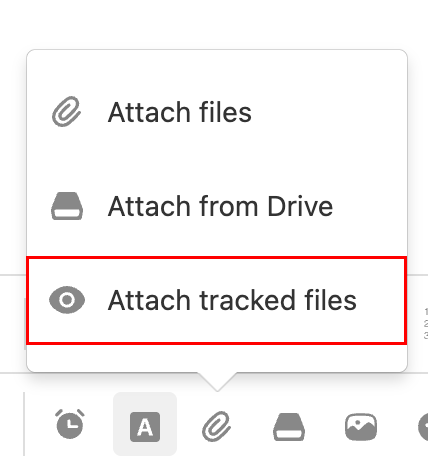
- 追跡したファイルが60日後に期限切れになることを警告するメッセージが表示されたら、 「取得」を選択します。
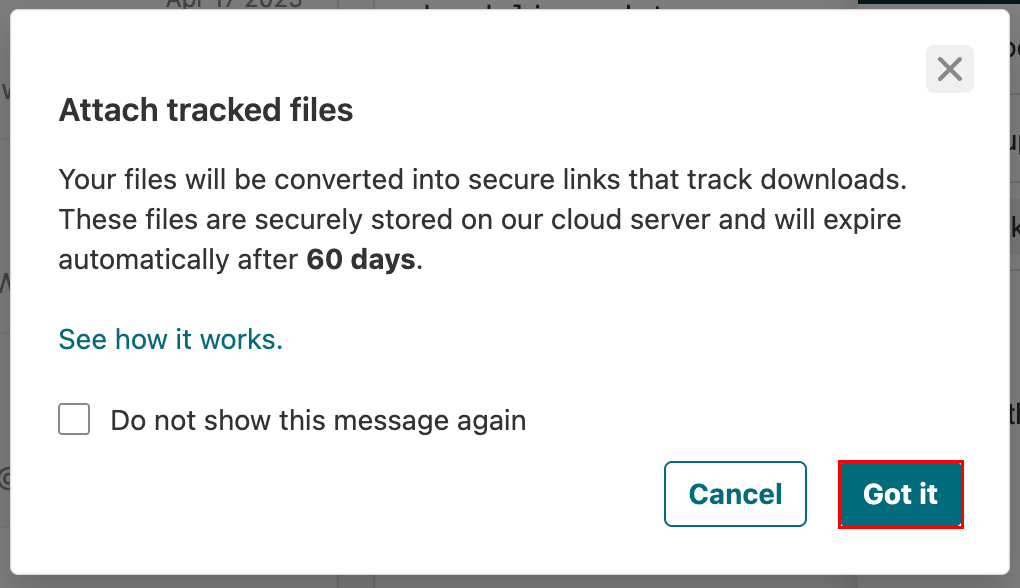
- 追跡するファイルを選択します。
送信後、受信者がファイルをダウンロードすると、日付と時刻が通知されます。
追跡された添付ファイルはTitanのサーバーで安全にホストされており、メール送信後60日で期限切れになります。
リンクのクリックとファイルのダウンロードの表示
追跡ダッシュボードで、送信したメールのエンゲージメントの詳細を確認します。
- webmail にサインインします。 Professional Email powered by Titanアドレスとパスワードを使用してください(GoDaddyのユーザー名とパスワードはここでは使用できません)。
- 右上隅で、
 領収書を読む
 - 追跡通知を開きます。ダッシュボードには以下が表示されます。
- メールのオープンアクティビティ
- リンククリック
- 添付ファイルのダウンロード
- 各インタラクションのタイムスタンプ
関連情報
- 受信者がメールを読んだときに通知を受けるには、メール追跡をオンにします。
- Set up Vacation Responder for out-of-office auto-replies
- メールの添付ファイルをTitan Driveに保存する