Professional Email powered by Titanで送信者をブロック
送信者をブロックすると、迷惑メールを防ぎ、特定の送信元からの不要なメールを阻止することで受信トレイを整理できます。メールアカウントのプライバシーと組織を維持するのに役立ちます。
Select a tab based on whether you're on webmail on desktop or the mobile app.
- webmail にサインインします。 Professional Email powered by Titanアドレスとパスワードを使用してください(GoDaddyのユーザー名とパスワードはここでは使用できません)。
- 受信トレイでメッセージを選択します。
- メッセージの上にある[ブロック]を選択します。
- メールアドレスとドメインのどちらをブロックするかを選択します。 (ドメインを選択すると、そのドメインのユーザーからの今後のメールはすべてブロックされます)。
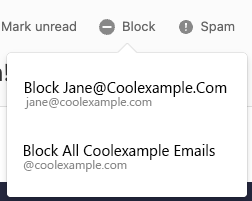
- 選択を確認するには、 [ブロック]を選択します。
今後この送信者からのメールはゴミ箱フォルダに移動されます。メッセージは、30日後にごみ箱フォルダから削除されます。
ブロックされている送信者を確認するには、右上にある[設定] 、 [設定] 、 [送信者の管理]の順に選択します。 [ブロックリスト]の横にある[管理]を選択します。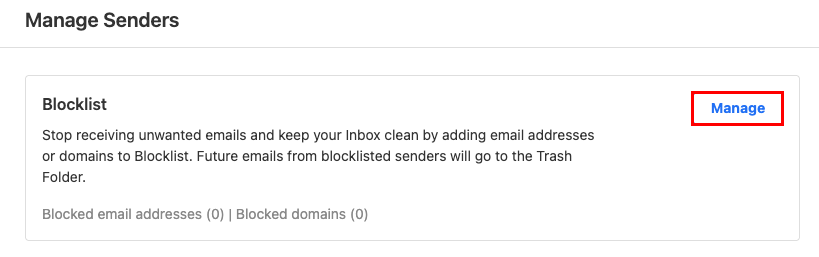
- Titanアプリを開きます。
- In your inbox, tap an email.
- In the upper-right corner, tap
 More actions, and then Block.
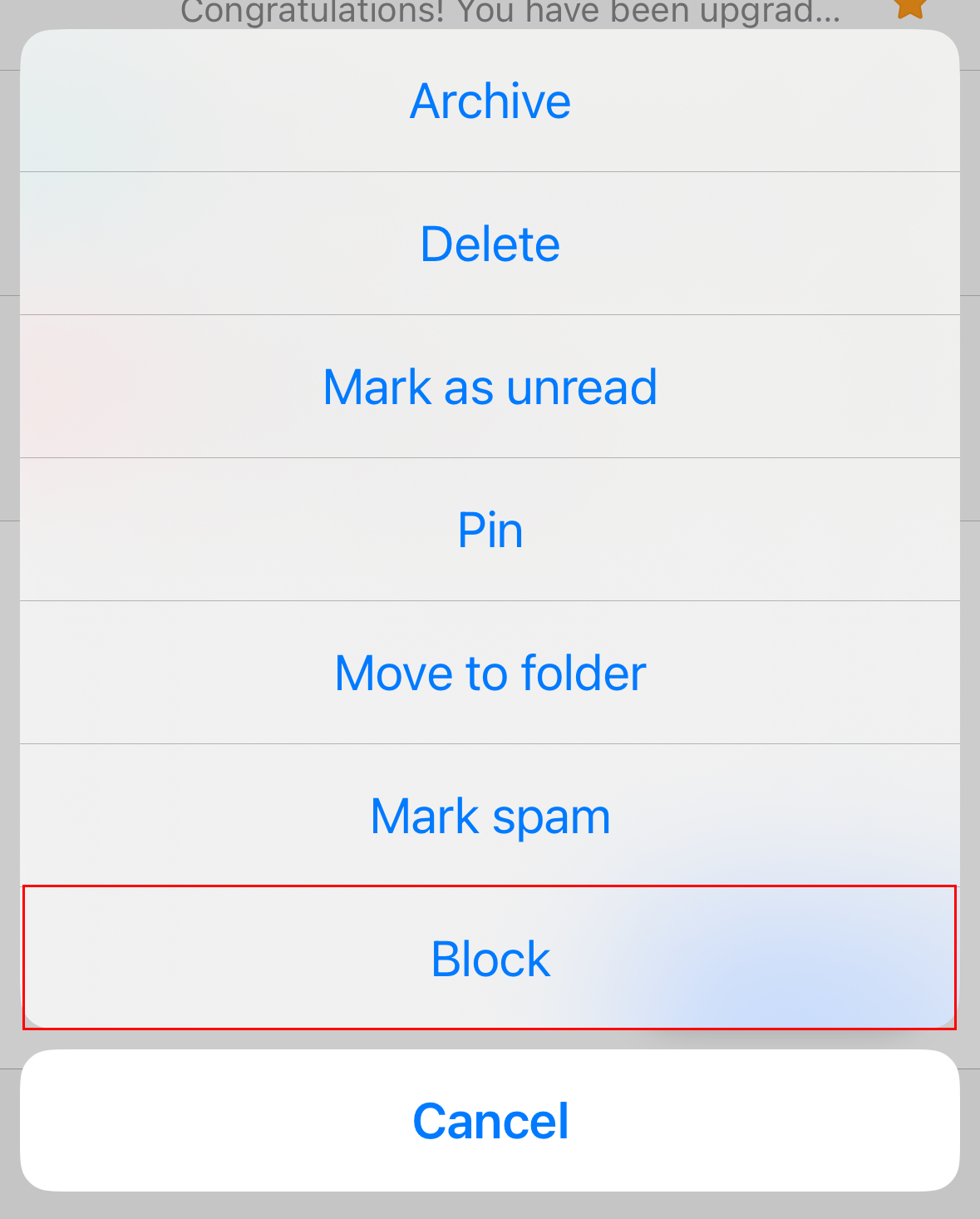
- When asked whether you want to block the email address or the domain (all email addresses that use the domain), tap an option.
- To confirm you want to continue with the block, tap Block.
You'll see a confirmation that the block was completed successfully.